Notes recap decisions.
Nuggt helps you make them.
An AI meeting assistant that takes notes and answers questions live, grounded in your past meetings and your docs.
Free to start. No card required.
Marketing wants to lock the announcement this week.
That depends on when we're actually shipping.
Didn't we already settle the launch date?
Launch date was settled on the Mar 12 call: April 14.
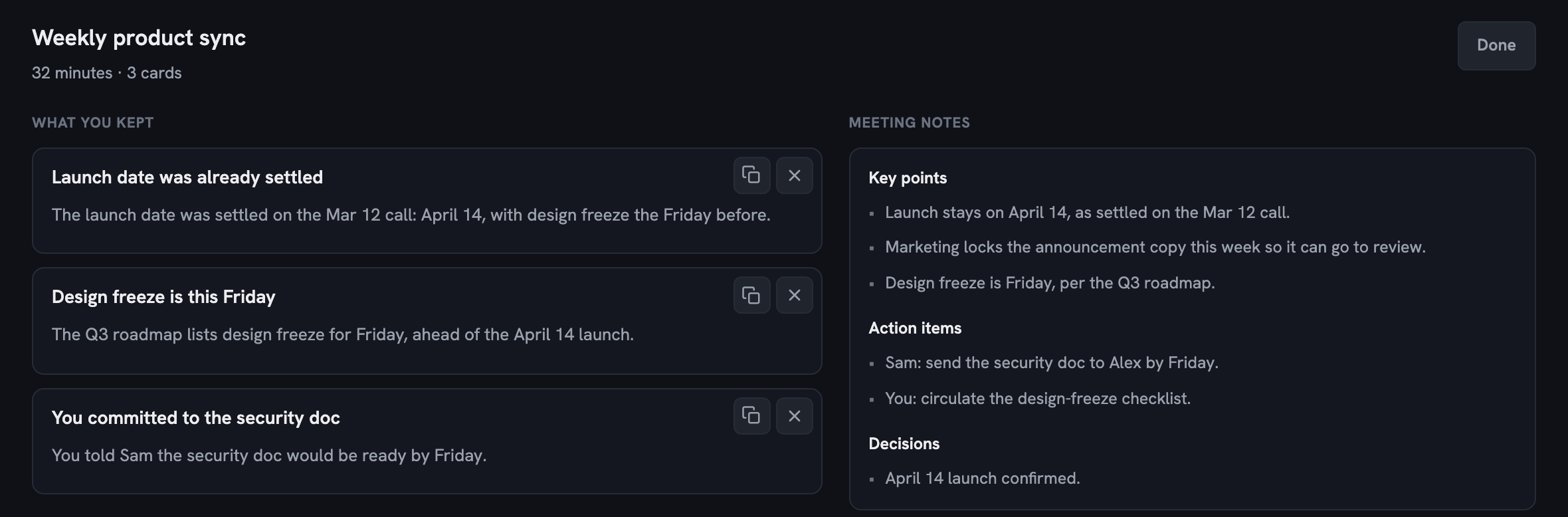
Weekly product sync
Answers appear mid-meeting
A past decision. A number from a doc. Something you promised last week. If the answer isn't yours, Nuggt can find it on the web.
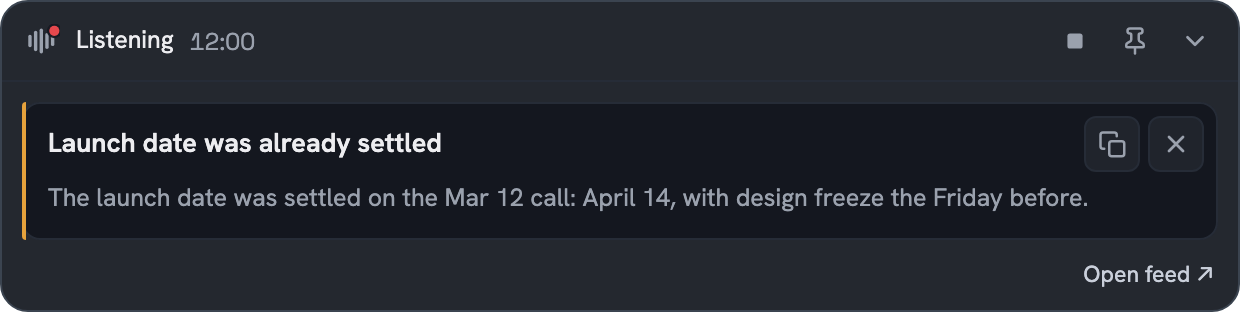
Your memory,
not a transcript.
Your docs join the same feed
Connect Notion in one click. Answers from your docs surface next to answers from your meetings.
- Notion
- and more to come
Design freeze is Friday, ahead of the April 14 launch.
Notion, Q3 roadmap
Notes you didn't have to take
Written up after every meeting, yours to edit, and kept so you can go back.
Everything you'd want from a notetaker. Nuggt just doesn't wait until the meeting ends.
No bot on the call
Nothing joins your meeting and nothing shows up in the attendee list. Audio is processed on your computer and never uploaded. Telling people you are using an AI assistant is still yours to do.
Walk into your next meeting with answers
Free to start. macOS today, Windows coming soon.